Manage Job Postings
For Employers (Companies)
Skillmatch.tech provides a straightforward process for creating and managing job postings to attract and hire talented candidates.
Creating a Job Posting
-
Access Your Company Dashboard
- Log in to Skillmatch.tech with your registered company account.
- Navigate to the Job Listing tab in your dashboard.
-
Create a New Job Posting
-
Step 1: Start Creating a Job Posting
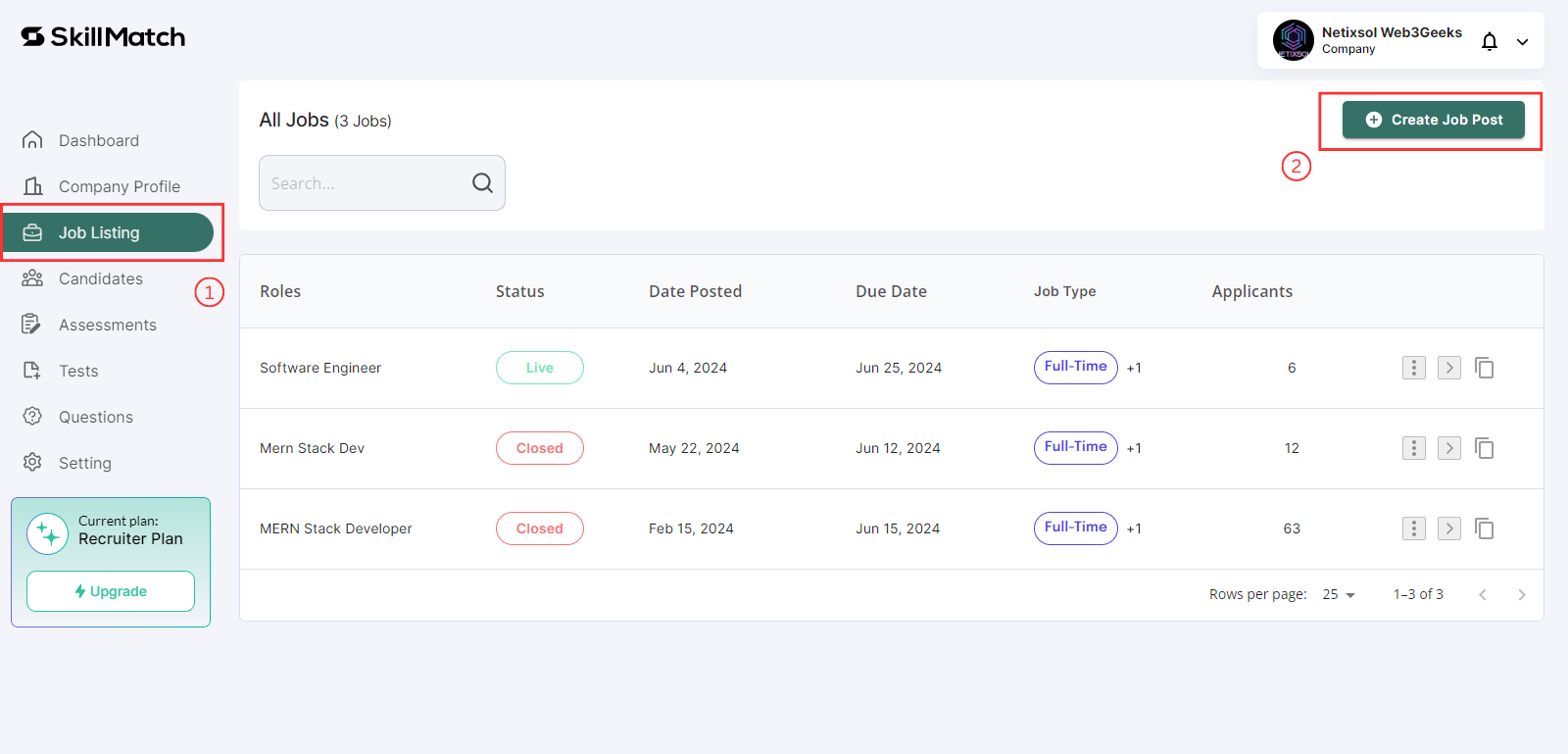
Create and manage job listings under the "Job Listing" tab.
1. Click on "Job Listing" tab.
2. Click on "Create Job Post" button.
-
Step 2: Job Information
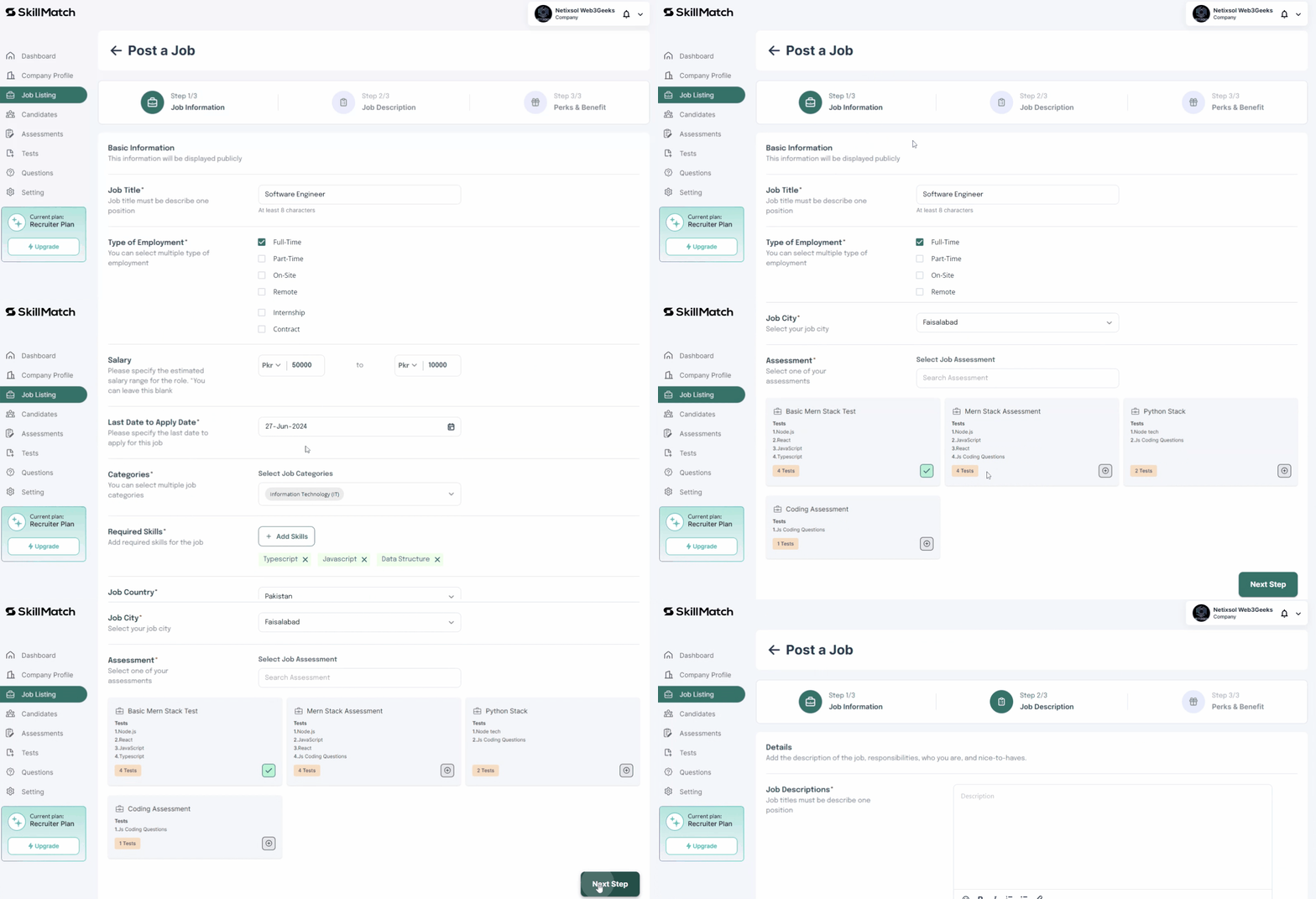
- Job Information:
- After click on "Create Job Post" button, Enter the job title, employment type (full-time, part-time, contract), category (e.g., IT, Marketing), and location (country and city).
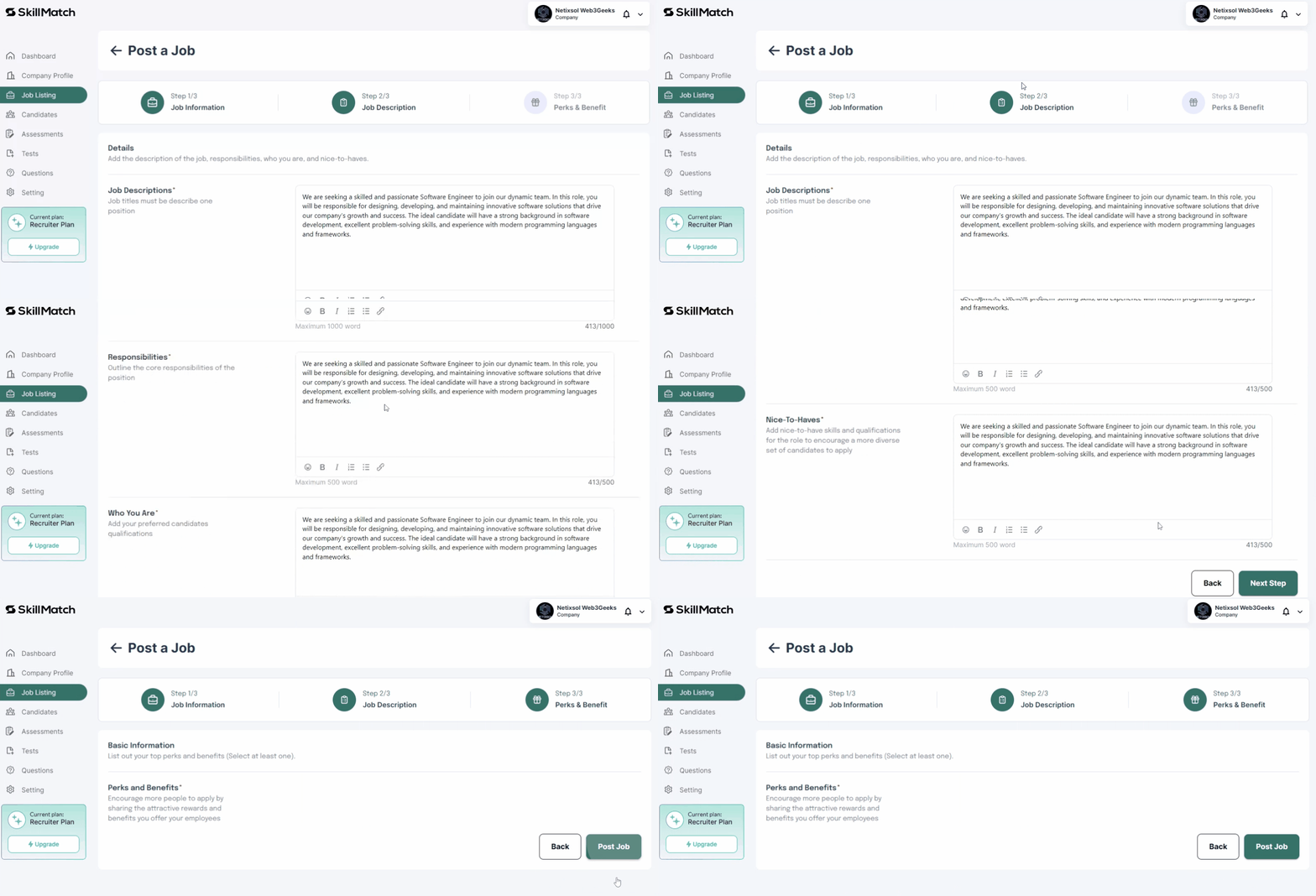
- Job Description:
- Describe the job responsibilities, requirements, and qualifications.
- Specify any special skills or certifications required.
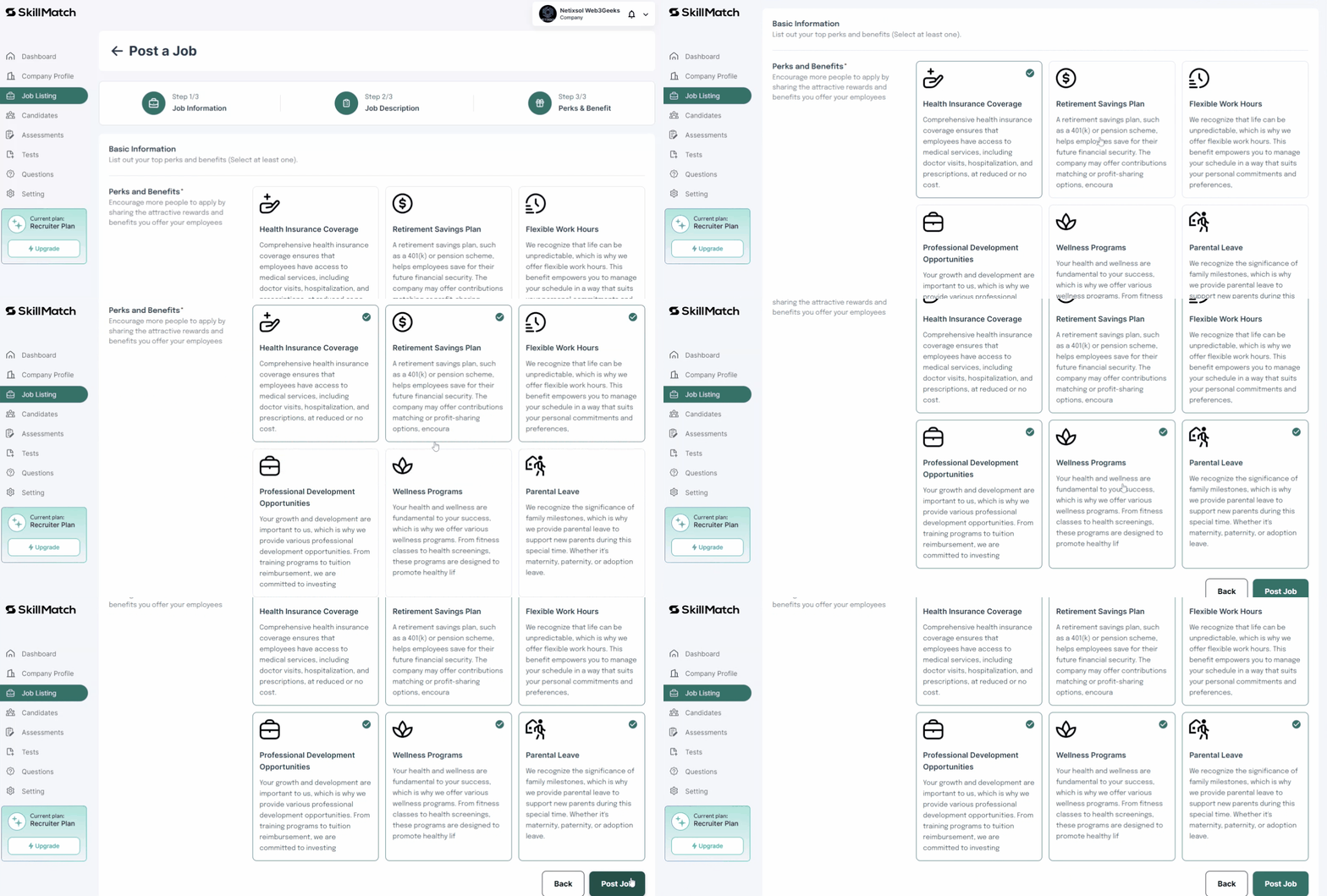
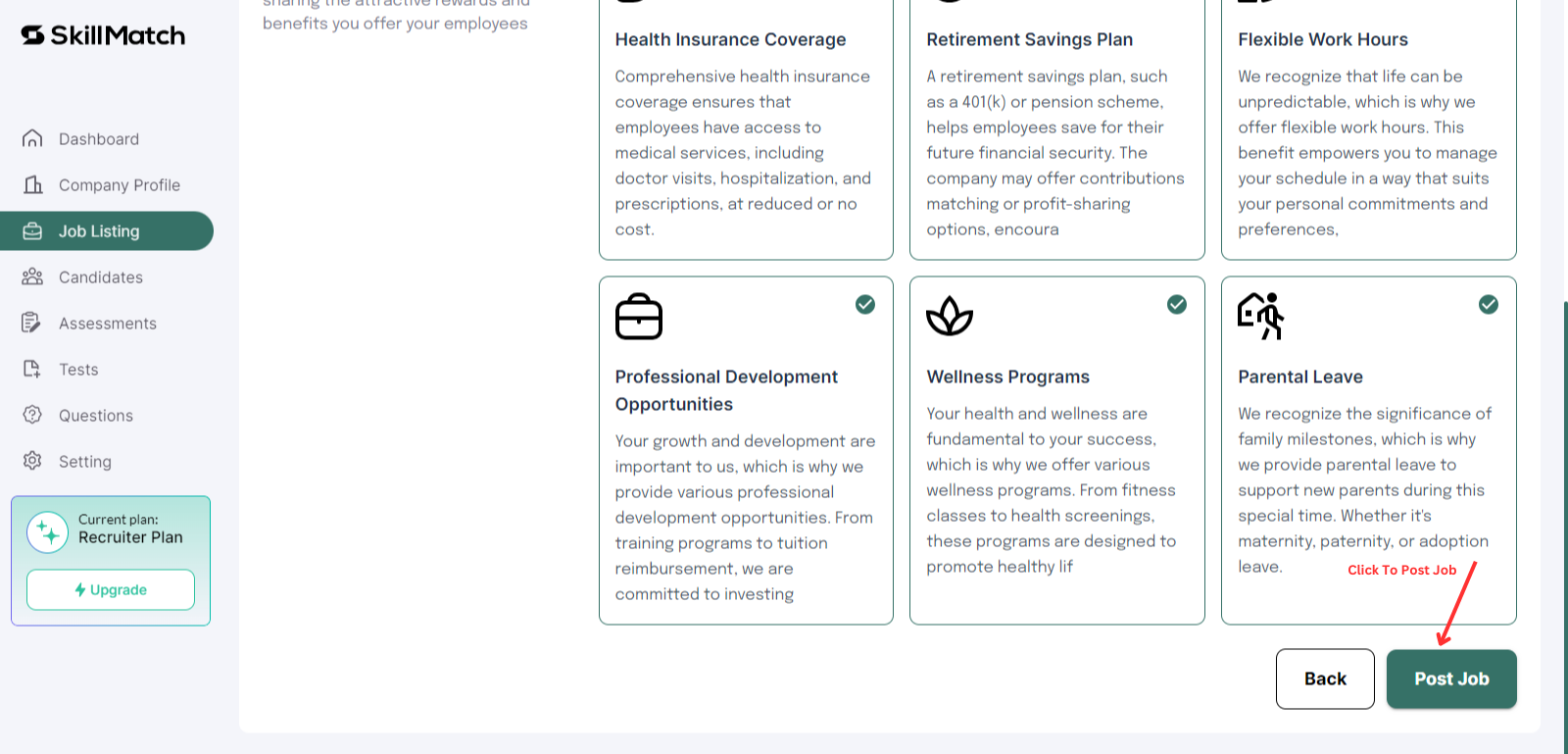
- Perks and Benefits:
- Highlight any benefits or perks offered with the position (e.g., health insurance, remote work options, professional development).
- Job Information:
-
Step 3: Review and Publish
- Review the job posting details for accuracy.
- Click on "Post Job" to make the job posting available to candidates.
-